Contents
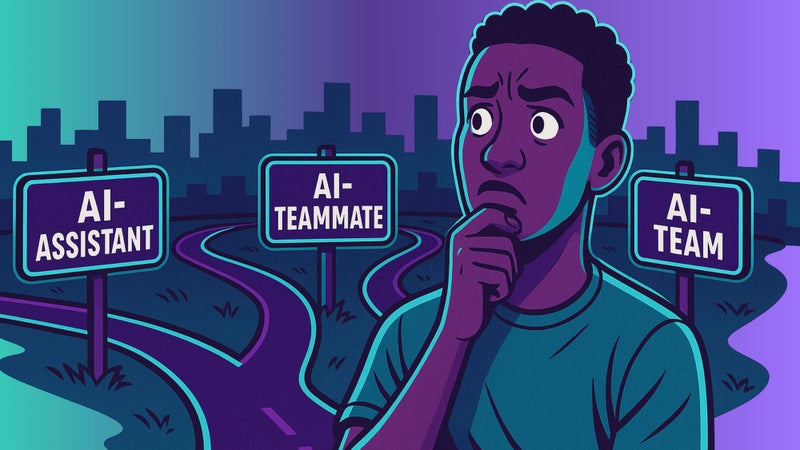
- Tool #1: GitHub Copilot (The AI-Assistant)
- Tool #2: Cursor (The AI-Teammate)
- Tool #3: Windsurf (The AI-Team)
- Match Your Tool for Software Development To Your Style
AI tools for software development should be standard infrastructure for EVERY engineer. But with hundreds of tools flooding the field, knowing which to adopt - and when to shift - can feel like an impossible task. From personal assistant to full agentic team, we're sharing the BIG 3 must-know tools to focus on when honing your process for the new year.
There's some serious friction at play while trying to pick the right AI tools for software engineering for 2026.
The problem isn’t a lack of options. It’s that most options barely change a thing. They smooth a few edges here, deliver some AI generated code there, maybe help you untangle a knot you weren’t losing sleep over. But, they don’t seriously change anything.
Yet within that noise sits a tiny minority (and we do mean tiny) that does actually matter.
These are the tools that fundamentally change how you interact with your codebase, expand what you can realistically deliver in a single day, and reshape your trajectory as an engineer. These are the transformational few worth knowing.
And that’s where we’re focusing our attention.
We've done the legwork to cut the bloat, zeroing in on 3 AI industry shaping tools trifurcating the future of software engineering today. Listen up, because these three tools are plotting the path of what it means to be an AI engineer.
Looking to forward to your 2026 AI journey? Today, we're sharing the big 3 must-know AI tools for software development set to shape your approach to coding in the coming year.
Tool #1: GitHub Copilot (The AI-Assistant)
We get it, Copilot can feel like the yawn-worthy, obvious choice. But sometimes the obvious choice is the one you’d be loony to skip.
Copilot has established itself as the tool for engineers who want to write code themselves, but don’t want to grind through every line solo. Sitting within the mainstream IDE's (Integrated Development Environments) most devs already use, it adds a layer of subtle AI that yields massive practical lift where it counts.
Copilot's AI layer lets devs talk directly to their codebase. That means using plain, natural language to unpack confusing sections, surface potential bugs, spit out first-pass documentation, or draft inline suggestions that help them move forward without breaking flow.
It cuts the clutter so the human can stay locked in on the bigger picture.
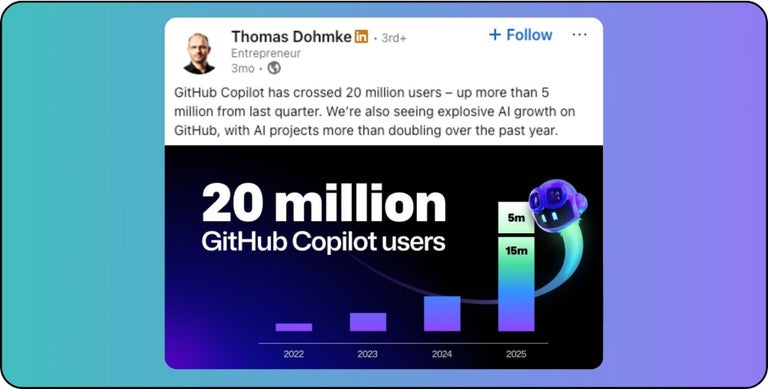
Copilot's subtle approach to AI has clearly struck a chord. Since Q3 of this year, Copilot has officially passed 20 MILLION users - a jump of more than 5M since Q2. And it's now a trusted sidekick across around 90% of Fortune 100 companies.
Let's peek under the hood.
Copilot has one MAJOR advantage over other generative AI code assistants - GitHub. This deep-rooted wiring within the world’s largest development ecosystem pays off in two critical ways:
Advantage #1: Copilot’s underlying ai models have been trained on the massive amounts of publicly available source code and natural language (395M public repositories; 1.12B contributions) running through GitHub, giving it a broad, well-rounded understanding of how real modern software is written.
Advantage #2: Many teams already use GitHub as their source of truth, meaning Copilot can tap directly into their personal repos and pull requests. That means hyper-personalized directions that reflect their existing workflow, without large-scale adjustments to existing processes.
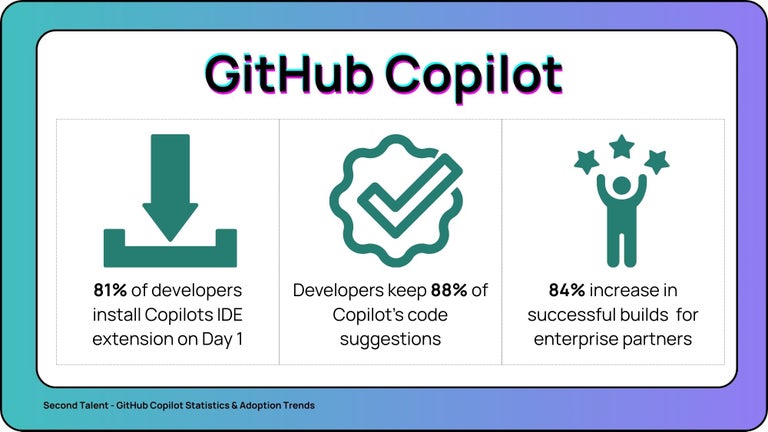
Together, that breadth and local context have added up to some serious uplift. Recent data shows Copilot pushing coding speed by ~51%, with suggestion retention hitting a wild 88% in the field.
So yes, Copilot might feel like an obvious choice. But it's the juggernaut that's plotting the foundation of what an AI assisted development process will look like. And this list would NOT be complete without it.
Case and point: If we didn't include it, you’d notice...
Tool #2: Cursor (The AI-Teammate)
If Copilot is the assistant at your side, Cursor is the teammate in the chair next to you.
Cursor is what happens when an IDE is constructed around AI from the ground up. Built as a fork of VS Code, most devs will walk into a workspace that looks and feels remarkably familiar to what they're used to. But dig a bit deeper, and you'll see a lot more going on.
Instead of sprinkling AI functionality over your existing editor, Cursor has been structured around a true teammate model. It’s designed to behave like a pair programmer that mimics real dev-to-dev collaboration – tracking context across files, helping you push genuine implementation across the line, and stretching how much surface area a single human can realistically touch in a day.
It won't replace any of your human team members (and it isn’t trying to). But in the hands of someone who knows their craft, Cursor is an absurdly powerful force multiplier for the individual.
We spoke with Shubhashish Verma - AI Software Engineer at Trilogy - to get a better idea of how this new kind of AI engineering job plays out on the ground with tools like Cursor:
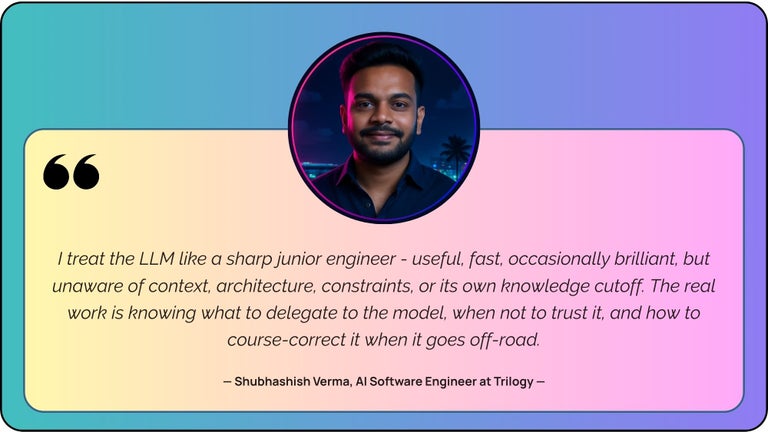
What you're seeing here is the first true step into genuine AI-teammate territory. And the payoff for those who get that interaction right is massive:
- Around 61% of new Cursor conversations now begin with developers asking it to strategically implement code, showing most users are now treating Cursor as a true guided builder within their team.
- Teams leaning on Cursor’s agent mode as a default see merged pull requests rise by ~39%. A clear indicator that AI-backed implementation is already translating into more reviewed, approved work hitting the main branch.
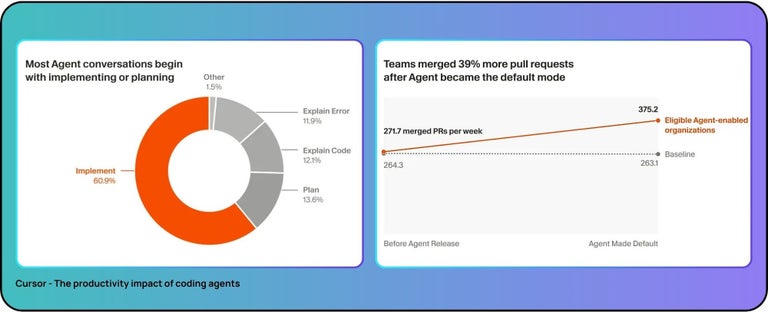
This is the point where we all ask the same question: Do you really need an entirely new IDE when a tool like Copilot can already sit in the one you have? And our honest answer is a resounding… maybe.
If all you’re looking for is occasional in-flow help, Cursor will likely feel like AI-overkill. But if you’re ready to take a step into the future and treat AI as a genuine teammate that can touch real surface area in your codebase, this is where that evolution hits the real world.
Tool #3: Windsurf (The AI-Team)
Windsurf is where you stop optimizing your individual output and start scaling it with an AI team.
Where Copilot layers assistance onto your editor, and Cursor behaves like a sharp teammate, Windsurf pushes you into the driver's seat of your own AI squad. Enter Cascade - Windsurf's agentic AI engine.
At its core, Cascade is built to behave like a group of engineers intimately familiar with your project. That allows you to set intent, boundaries, and priorities, and then confidently hand off to a cluster of agents so they can execute complex, multi-step development flows that get things up and running with less handholding than ever.
As of 2025, Cascade now produces more than 57 MILLION lines of code every day. And, in the right hands, can handle ~90 percent of all code per person.
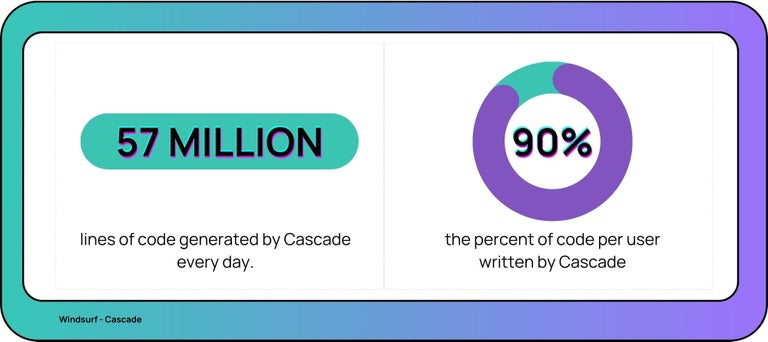
Ok, elevator pitch over. Now for the basic to elite change that pushes Windsurf Cascade into 'oh sh!t' territory.
PLENTY of people can use Cascade agents to blunder their way towards something pretty good. But elite users now realize that pushing it to its potential requires a critical adjustment.
Every engineer worth their salt knows they need technical skills to understand what their agents are doing and whether their output is actually solid. This truth holds firm...
But elite practitioners using Cascade are fundamentally adjusting their value as an engineer by placing human skills MUCH higher on their personal hierarchy. Because they understand that team-level execution (even with AI-teams) requires a heck of a lot more coordination than the siloed work many engineers prefer to live in.
That means developing a whole new skillset around goal setting, communication, AI systems thinking, collaborative problem-solving, and human-AI cooperation. A skillset fine tuned for AI-managerial work.
We caught up with Chintan Parekh - AI Innovation Specialist at Trilogy - to get a better idea of how he engages with Windsurf to scale his impact. Here's what he had to say:
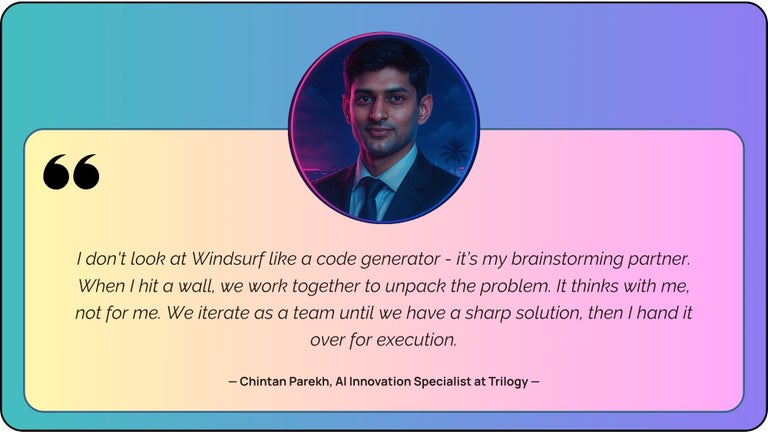
Notice the managerial arc in that workflow. HE identifies a challenge, THEY shape a focused plan together, then IT executes under HIS expert eye.
This is elite agentic management in practice.
Windsurf Cascade has emerged as the option for engineers who've moved past the AI assistant, outgrown a single AI teammate, and have decided the future rests on skilled human managers that can guide and scale an AI team.
Match Your Tool for Software Development To Your Style
There is no 'best' AI tool for software development - only the one that fits the future you see with AI.
By this point, the differences should be clear. Our Big 3 aren’t competing for the same job. They reflect three distinct ways engineers are choosing to engage with AI - from staying close to the code, to pairing with an AI teammate, to directing an AI team that can execute at scale.
None of these are inherently better. But they do point to three fundamentally different paths within the future of AI engineering.
Whether you choose to stay rooted in hands-on craft or stretch yourself into a new AI-leadership role, the choice is yours. But you need to make it count. Because the choices you make today WILL shape the engineer you become tomorrow.
Trying to pick your AI tool for software development in 2026? Choose your AI future, and the tool will choose itself. Your 2026 engineering journey awaits.
Similar post


Want to read more?
We have a lot more where that came from



 AI-first remote workers.